Secure multi-threaded FTP Server for Windows
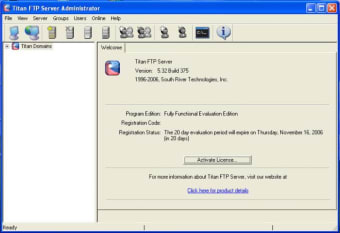
Titan FTP Server is one of those rare FTP servers that aims to cater for both home users and huge commercial enterprises. Because of this, it's a bit daunting for beginners although if you get the hang of it, you'll find yourself with one of the most powerful FTP servers out there.
Top Recommended Alternative

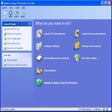
The good news is Titan FTP Server's user interface is very simple and straightforward to use meaning the server is fairly simple to setup and maintain. For home users, Titan FTP Server's functionality does not extend much more than this although it does offer configurable upload/download ratios and disk quotas and you can control the way that files are shared on your system.
For large businesses, Titan FTP Server offers unlimited user accounts (in the professional edition) and the power to appropriately manage them. It also offers bandwidth throttling and configurable maximum transfer speeds that allow you to customize the bandwidth given to any user or server.
Titan FTP Server's security features are particularly impressive as they should be when serving big businesses. Titan FTP Server features SSL for secure file transfers, S/Key MD4 and MD5 password encryption, enabling or disabling of anonymous access, and the ability to permit or deny access based on IP address. This is an excellent FTP server although business users will get much more out of it than home users.
Added: A "Kick User On Bad Hostkey" flag is now available in SFTP. If this flag is enabled, the default, any FTP client that presents an invalid SFTP key will be disconnected as if they supplied an invalid password. Turn this setting off to allow SFTP clients the ability to connect and sequentially issue multiple SSH host keys until a valid key is found. Fixed: Internal memory issue which could cause a race condition in the Titan Service if multiple servers were configured under a single domain and one or more servers had an invalid IP address and Titan was installed on a fast quad-core multi-processor box. Fixed: Internal logic error which would prevent users from being properly displayed in the Admin application as members of a group. Fixed: Issue with non-native authentication which could prevent the Users from being displayed properly under the Members and Non-Members tab in the Admininstration application. Fixed: The Permit SFTP flag at the Group and User level was not honoring the value of the parent which could result in SFTP being disabled at a group level but enabled at a user or server level. Fixed: Added check boxes to the list of user host keys on the user SFTP tab to make it a bit more obvious which host keys will be valid for any given user. Fixed: The SFTP engine was not propely processing invalid username/password hacking attempts and would fail to ban the IP address and not disconnect the user. Fixed: Bug in SFTP v5 & v6 support whereby the extended OPEN flags were not being processed correctly causing uploads to fail. Fixed: Issue with the database tables used by the Event Management System. When upgrading from an older version of Titan Server, and if no events existing, the event tables would not be created properly. While this error did not prevent the server from running, it did prevent new events from being created. Fixed: Issue in the srxCOM interface which could cause a Windows error assertion in "WinCtr2.cpp". Fixed: The installer was not properly checking and installing ASPX and was not properly registering some of the .NET objects needed for the WebUI to run. Fixed: Updated the algorithm used in Passive Mode Accepts for FTP to help correct a problem with an occasional 425 timeout during a data connection. Fixed: Updated DMZ client keep-alive logic to better detect when a firewall is recycled. Fixed: Event notification for file upload events with the web user interface. Fixed: On the Shared Connections tab in the Admin app, the Allow EPASV setting was not being set correctly if it was different than the Allow PASV setting.